
In today’s fast-paced business environment, effective project management is not just an advantage; it’s a necessity. Organizations across all sectors are constantly striving to deliver projects on time, within budget, and to the highest quality standards. The key to achieving these objectives often lies in the strategic selection and implementation of the right project management tools. In 2024, the landscape of these tools is more diverse and sophisticated than ever, offering solutions tailored to every conceivable need, from small startups to multinational corporations.
This comprehensive guide will delve into the world of project management tools, exploring their evolution, types, and the critical factors to consider when choosing one for your team. We’ll examine the leading software solutions, discuss popular methodologies like Agile and Scrum, and provide insights into best practices that can transform your project delivery. Whether you’re a seasoned project manager or just starting, understanding these tools and principles is paramount to navigating the complexities of modern projects and ensuring success.
The Evolution of Project Management Tools
Project management has come a long way from simple checklists and spreadsheets. The digital revolution has fundamentally reshaped how projects are planned, executed, and monitored. Early project management tools were often desktop-based, focusing primarily on scheduling and task tracking. Think of early versions of Microsoft Project, which revolutionized how project managers visualized timelines with Gantt charts.
As technology advanced, so did the capabilities of these tools. The advent of the internet brought about web-based solutions, enabling remote collaboration and real-time updates. Cloud computing further accelerated this trend, allowing teams to access project data and tools from anywhere, at any time, on any device. This shift has been particularly impactful in fostering global teams and flexible work arrangements, which are increasingly common in 2024.
Today, project management tools are often integrated platforms offering a suite of functionalities: task management, resource allocation, communication, document sharing, reporting, and even AI-powered insights. They are designed not just to track tasks, but to facilitate entire project lifecycles, from ideation to delivery and beyond. The focus has moved from mere task completion to holistic project success, encompassing team well-being, stakeholder satisfaction, and strategic alignment.
Why Invest in Project Management Tools?
The benefits of utilizing dedicated project management tools are extensive and directly impact an organization’s bottom line and operational efficiency. Here are some key reasons why investment in these tools is crucial:
- Improved Organization and Planning: Tools provide a centralized hub for all project-related information, making it easier to define scope, set objectives, and create detailed plans. They help break down large projects into manageable tasks, assign responsibilities, and establish clear deadlines.
- Enhanced Collaboration and Communication: Modern tools often include integrated communication features, allowing team members to discuss tasks, share files, and provide feedback in real-time. This reduces reliance on endless email chains and ensures everyone is on the same page.
- Better Resource Management: Effective allocation of human, financial, and material resources is critical. Project management tools help identify resource availability, prevent over-allocation, and optimize their utilization, leading to cost savings and increased productivity.
- Real-time Tracking and Monitoring: With dashboards and reporting features, project managers can monitor progress, identify bottlenecks, and track key performance indicators (KPIs) in real-time. This allows for proactive problem-solving and timely adjustments to keep the project on track.
- Risk Management: By providing a clear overview of project dependencies and potential roadblocks, these tools assist in identifying and mitigating risks before they escalate, safeguarding project success.
- Increased Accountability: Clear task assignments and progress tracking foster a sense of ownership and accountability among team members, leading to higher quality work and greater commitment.
- Data-Driven Decision Making: Advanced analytics and reporting capabilities offer valuable insights into project performance, helping project managers make informed decisions and continuously improve processes.
- Consistency and Standardization: Tools can enforce best practices and standardized workflows, ensuring consistency across different projects and teams, which is particularly beneficial for large organizations.
Key Features to Look for in Project Management Tools
When selecting project management tools, it’s essential to consider a range of features that align with your specific project needs and organizational culture. Not all tools are created equal, and what works for one team might not work for another. Here are the core functionalities to prioritize:
Task Management and Scheduling
- Task Creation and Assignment: Easy ways to create tasks, assign them to team members, and set due dates.
- Subtasks and Dependencies: Ability to break down tasks into smaller subtasks and define dependencies between them, crucial for complex projects.
- Gantt Charts: Visual timelines that display project schedules, task durations, and dependencies. These are invaluable for understanding the critical path and overall project timeline.
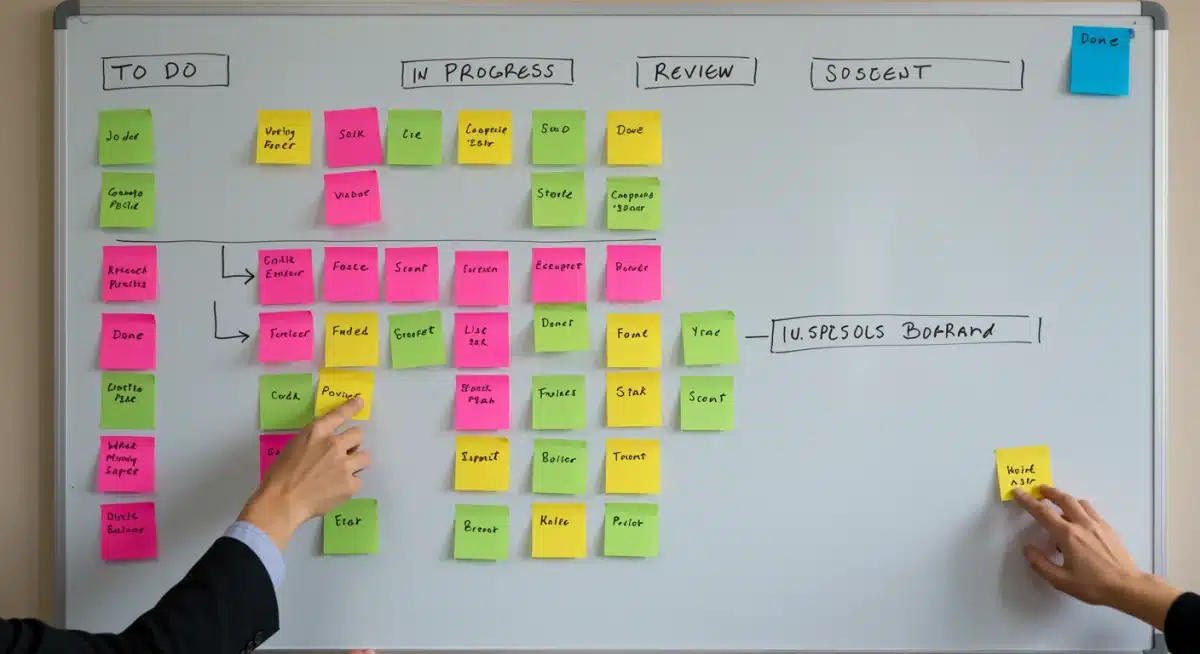
- Kanban Boards: Visual workflows that show tasks moving through different stages (e.g., To Do, In Progress, Done), ideal for agile methodologies.
- Calendar Views: Integration with calendars to visualize deadlines and milestones.
Collaboration and Communication
- In-app Messaging: Direct messaging, group chats, and comment sections for tasks.
- File Sharing and Document Management: Centralized storage for project documents, version control, and easy sharing capabilities.
- Notifications and Alerts: Real-time updates on task changes, deadlines, and mentions.
- Meeting Management: Tools to schedule meetings, share agendas, and track action items.
Resource Management
- Resource Allocation: Assigning team members and other resources to specific tasks.
- Workload Management: Tools to visualize team members’ workloads, identify bottlenecks, and prevent burnout.
- Capacity Planning: Forecasting resource needs for future projects.
Reporting and Analytics
- Customizable Dashboards: Overview of project status, KPIs, and team performance.
- Progress Tracking: Reports on task completion rates, budget vs. actuals, and time spent.
- Burndown/Burnup Charts: Visual representation of work remaining or completed, especially useful in agile environments.
Integrations and Customization
- Third-party Integrations: Compatibility with other essential business tools like CRM, ERP, communication platforms (Slack, Microsoft Teams), and development tools (GitHub).
- Custom Fields and Workflows: Ability to tailor the tool to specific project types and organizational processes.
Security and Scalability
- Data Security: Robust measures to protect sensitive project information.
- Scalability: The ability of the tool to grow with your team and projects, accommodating increasing complexity and user numbers.
Top Project Management Tools in 2024
The market for project management tools is vibrant and competitive. Here’s a look at some of the leading contenders in 2024, each with its unique strengths:
1. Asana: For Collaborative Task Management
Asana excels in visual task management and team collaboration. Its intuitive interface allows teams to organize tasks into lists, boards, or calendars. It’s particularly strong for marketing teams, HR, and operations, where clear task ownership and progress tracking are paramount. Asana offers robust features for setting goals, tracking progress, and communicating within tasks. Its strength lies in its simplicity and ability to keep teams aligned without overwhelming them with overly complex features.
- Strengths: User-friendly interface, strong task management, excellent collaboration features, versatile views (list, board, calendar).
- Best For: Teams needing highly visual task tracking and cross-functional collaboration.
2. Jira: The Agile Powerhouse
Originally designed for software development teams, Jira has evolved into a powerful tool for various agile methodologies, including Scrum and Kanban. It offers highly customizable workflows, extensive reporting, and seamless integration with development tools. Jira’s strength lies in its ability to manage complex projects with detailed issue tracking, sprint planning, and backlog management. It’s ideal for teams that require granular control over their development processes and robust reporting on progress and metrics.
- Strengths: Unrivaled for Agile and Scrum, powerful issue tracking, extensive customization, strong reporting.
- Best For: Software development teams, IT projects, and organizations practicing complex agile methodologies.
3. Trello: Simple and Visual Kanban
Trello is famous for its simplicity and visual Kanban boards. It uses cards, lists, and boards to organize tasks, making it incredibly easy to visualize workflow and track progress. While it might lack some of the advanced features of more complex tools, its ease of use makes it perfect for smaller teams, personal projects, or specific workflows within larger organizations. It’s an excellent entry point for teams new to project management tools.
- Strengths: Extremely easy to use, highly visual, excellent for Kanban, good for small teams or specific workflows.
- Best For: Small teams, individual task management, visual thinkers, and quick project setups.
4. Monday.com: Versatile Work OS
Monday.com positions itself as a ‘Work OS,’ offering extreme flexibility and customization. It’s not just a project management tool but a platform that can be adapted for CRM, HR, marketing, and more. Its highly visual interface, with customizable boards and dashboards, allows teams to manage any type of work. Its automation capabilities can streamline repetitive tasks, making it highly efficient for diverse teams.
- Strengths: Highly customizable, versatile for various use cases, strong automation, excellent visual dashboards.
- Best For: Teams requiring a highly adaptable platform for diverse project types and workflows.
5. ClickUp: All-in-One Productivity
ClickUp aims to be the "one app to replace them all." It offers an incredibly comprehensive suite of features, including task management, docs, whiteboards, goals, time tracking, and more. While its extensive features can have a learning curve, its flexibility and ability to consolidate multiple tools into one platform make it a compelling choice for teams looking for an all-encompassing solution. It supports various views, from lists and boards to Gantt charts and mind maps.
- Strengths: Feature-rich, highly customizable, consolidates many tools, supports multiple project views.
- Best For: Teams seeking an all-in-one productivity platform for complex projects across various departments.
6. Microsoft Project: The Enterprise Standard
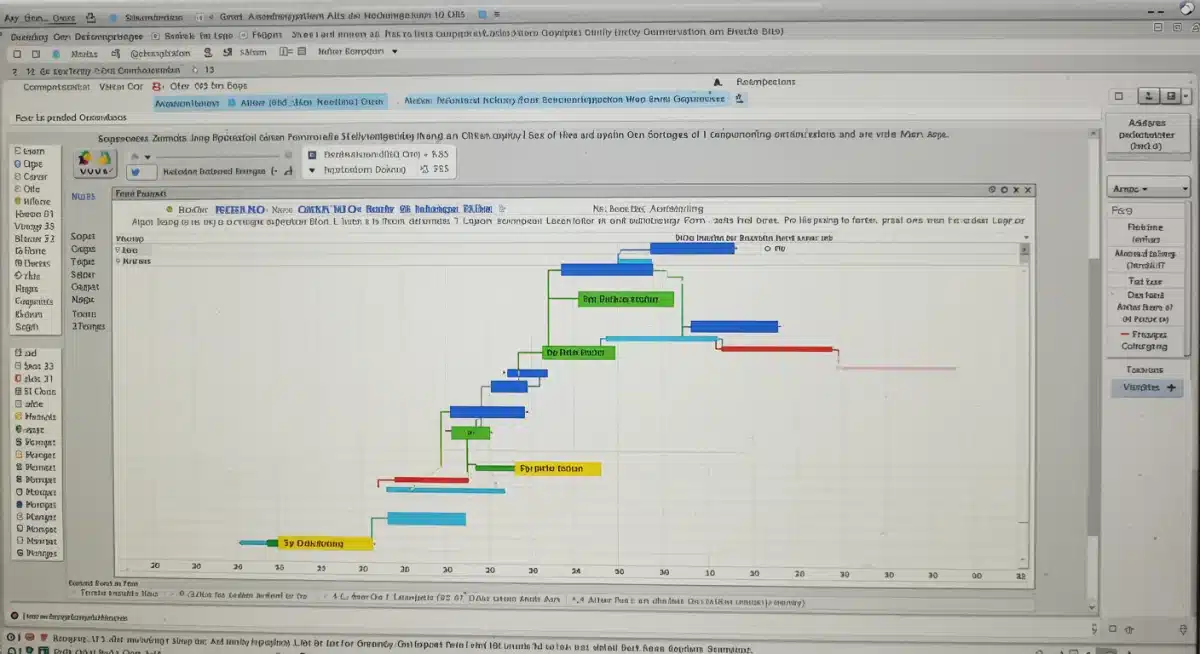
Microsoft Project remains a staple for large enterprises and complex projects, especially those requiring detailed resource management and traditional waterfall methodologies. It offers powerful scheduling capabilities, robust reporting, and deep integration with other Microsoft products. While it can be more complex to learn than other tools, its comprehensive feature set makes it indispensable for managing large-scale, intricate projects.
- Strengths: Industry standard for large projects, powerful scheduling, strong resource management, deep Microsoft ecosystem integration.
- Best For: Large enterprises, traditional project management, and complex engineering or construction projects.
7. Smartsheet: Spreadsheet-like Flexibility with Project Power
Smartsheet combines the familiarity of a spreadsheet with the power of project management tools. It’s highly flexible, allowing users to manage projects, automate workflows, and collaborate effectively. Its grid-based interface is intuitive for those comfortable with spreadsheets, but it also offers Gantt charts, Kanban boards, and robust reporting. Smartsheet is particularly good for operations and business teams who need a flexible tool that can adapt to various data-driven tasks beyond just project management.
- Strengths: Spreadsheet-like interface, highly flexible, robust automation, strong reporting.
- Best For: Teams that prefer a spreadsheet-like environment but need advanced project management and automation capabilities.
Integrating Methodologies with Project Management Tools
The effectiveness of project management tools is significantly amplified when combined with appropriate methodologies. Understanding how different tools support various approaches is crucial for optimal project delivery.
Agile Project Management
Agile methodologies, such as Scrum and Kanban, emphasize iterative development, flexibility, and continuous improvement. Project management tools like Jira, Asana, Trello, and ClickUp are exceptionally well-suited for Agile teams. They provide features like:
- Sprint Planning: Tools to organize tasks into sprints, assign points, and track velocity.
- Backlog Management: Centralized repositories for product backlog items, allowing for easy prioritization and refinement.
- Scrum Boards/Kanban Boards: Visual representations of work in progress, facilitating daily stand-ups and transparent workflow.
- Burndown/Burnup Charts: Metrics to track sprint progress and predict completion.
These tools help Agile teams maintain transparency, adapt quickly to changes, and deliver value incrementally.
Waterfall Project Management
The Waterfall method is a linear, sequential approach, where each phase of the project must be completed before the next one begins. This methodology is typically used for projects with clearly defined requirements and less anticipated change. Tools like Microsoft Project and Smartsheet are strong contenders for Waterfall projects due to their robust capabilities in:
- Detailed Planning: Comprehensive tools for defining all project phases, tasks, and dependencies upfront.
- Gantt Charts: Essential for visualizing the entire project timeline, critical path, and fixed deadlines.
- Resource Leveling: Advanced features to manage and optimize resource allocation across long project durations.
- Baseline Management: Ability to set and track against original project plans, crucial for scope control.
Hybrid Approaches
Many organizations today adopt a hybrid approach, combining elements of both Agile and Waterfall. This might involve using Agile for development phases and Waterfall for overall project planning and governance. Versatile project management tools like Monday.com and ClickUp, with their customizable views and workflows, are excellent for supporting these hybrid models, allowing teams to switch between different methodologies as needed.
Best Practices for Implementing Project Management Tools
Simply adopting a tool is not enough; successful implementation requires strategic planning and consistent execution. Here are some best practices to maximize the value of your project management tools:
- Define Your Needs Clearly: Before selecting a tool, conduct a thorough needs assessment. What are your team’s pain points? What functionalities are absolutely essential? What is your budget? Involving key stakeholders in this process ensures the chosen tool addresses real-world problems.
- Start Small and Scale Up: Don’t try to implement every feature on day one. Begin with core functionalities, get your team comfortable, and then gradually introduce more advanced features. This phased approach reduces overwhelm and increases adoption rates.
- Provide Comprehensive Training: Even the most intuitive tools require some training. Invest in workshops, tutorials, and ongoing support to ensure all team members are proficient and confident in using the new system.
- Establish Clear Guidelines and Workflows: Standardize how the tool will be used. Define naming conventions for tasks, project templates, communication protocols, and reporting requirements. Consistency is key to maintaining data integrity and ease of use.
- Integrate with Existing Systems: Leverage the integration capabilities of your chosen tool. Connecting it with communication platforms, CRM systems, or development tools can streamline workflows and prevent data silos.
- Regularly Review and Optimize: Project management is an iterative process, and so is tool usage. Regularly review how the tool is performing, gather feedback from your team, and make adjustments to workflows or configurations as needed.
- Champion Adoption from the Top: Leadership buy-in and active participation are critical. When project managers and senior leaders consistently use the tool, it encourages wider adoption and reinforces its importance.
- Focus on Data and Reporting: Utilize the reporting features to gain insights into project performance. Use this data to identify areas for improvement, celebrate successes, and make data-driven decisions for future projects.
- Encourage Feedback: Create channels for team members to provide feedback on the tool. This not only helps in optimizing its use but also makes team members feel valued and engaged in the process.
The Future of Project Management Tools
The evolution of project management tools is far from over. Several emerging trends are set to shape their future:
- Artificial Intelligence (AI) and Machine Learning (ML): AI is already being integrated into tools for predictive analytics, risk assessment, automated task assignment, and intelligent resource allocation. Expect more sophisticated AI-powered insights to help project managers anticipate problems and optimize workflows.
- No-Code/Low-Code Platforms: The demand for highly customizable solutions without extensive coding knowledge is growing. No-code/low-code features will empower more users to build tailored workflows and applications within their project management environment.
- Enhanced Collaboration and Communication: As remote and hybrid work models become standard, tools will continue to evolve their collaboration features, offering more seamless integration with video conferencing, virtual whiteboards, and immersive communication experiences.
- Hyper-Automation: Beyond simple task automation, hyper-automation will involve orchestrating multiple technologies, including AI, RPA (Robotic Process Automation), and ML, to automate complex business processes end-to-end, further streamlining project execution.
- Emphasis on Employee Well-being: Tools will increasingly incorporate features to monitor team workload, identify signs of burnout, and promote work-life balance, reflecting a growing focus on employee well-being as a critical factor in project success.
- Advanced Analytics and Business Intelligence: Deeper integration with business intelligence tools will provide more comprehensive insights, linking project performance directly to organizational strategic goals and financial outcomes.
These advancements promise to make project management tools even more powerful, intuitive, and integral to business success in the coming years.
Conclusion: Choosing Your Path to Project Excellence
Selecting the right project management tools is a pivotal decision that can significantly impact the success of your projects and the overall efficiency of your organization. There is no one-size-fits-all solution; the best tool is the one that aligns perfectly with your team’s unique needs, project complexities, and preferred methodologies. Whether you opt for the agile prowess of Jira, the collaborative simplicity of Asana, the visual appeal of Trello, the versatility of Monday.com, the all-in-one approach of ClickUp, or the enterprise strength of Microsoft Project or Smartsheet, the goal remains the same: to empower your team to deliver exceptional results.
By understanding the evolution of these tools, recognizing their core features, and adopting best practices for implementation, you can transform your project management capabilities. Embrace the power of these digital allies to foster better communication, streamline workflows, manage resources effectively, and ultimately, drive your projects to unparalleled success in 2024 and beyond. The future of project management is here, and it’s powered by intelligent, collaborative, and highly effective tools designed to bring your visions to life.